> ## Documentation Index
> Fetch the complete documentation index at: https://docs.bugster.dev/llms.txt
> Use this file to discover all available pages before exploring further.
# Netlify
> Automatically run tests on deployments with GitHub App integration
## Prerequisites
You must have the [Bugster GitHub App](https://github.com/apps/bugster-dev) installed and connected to your repository before using this integration.
Visit your [Bugster Dashboard](https://app.bugster.dev) → Project Settings → GitHub Integration to install the GitHub App if you haven't already.
## Configuration
Navigate to your Netlify project settings.
Click on **Notifications > Emails and Webhooks**.
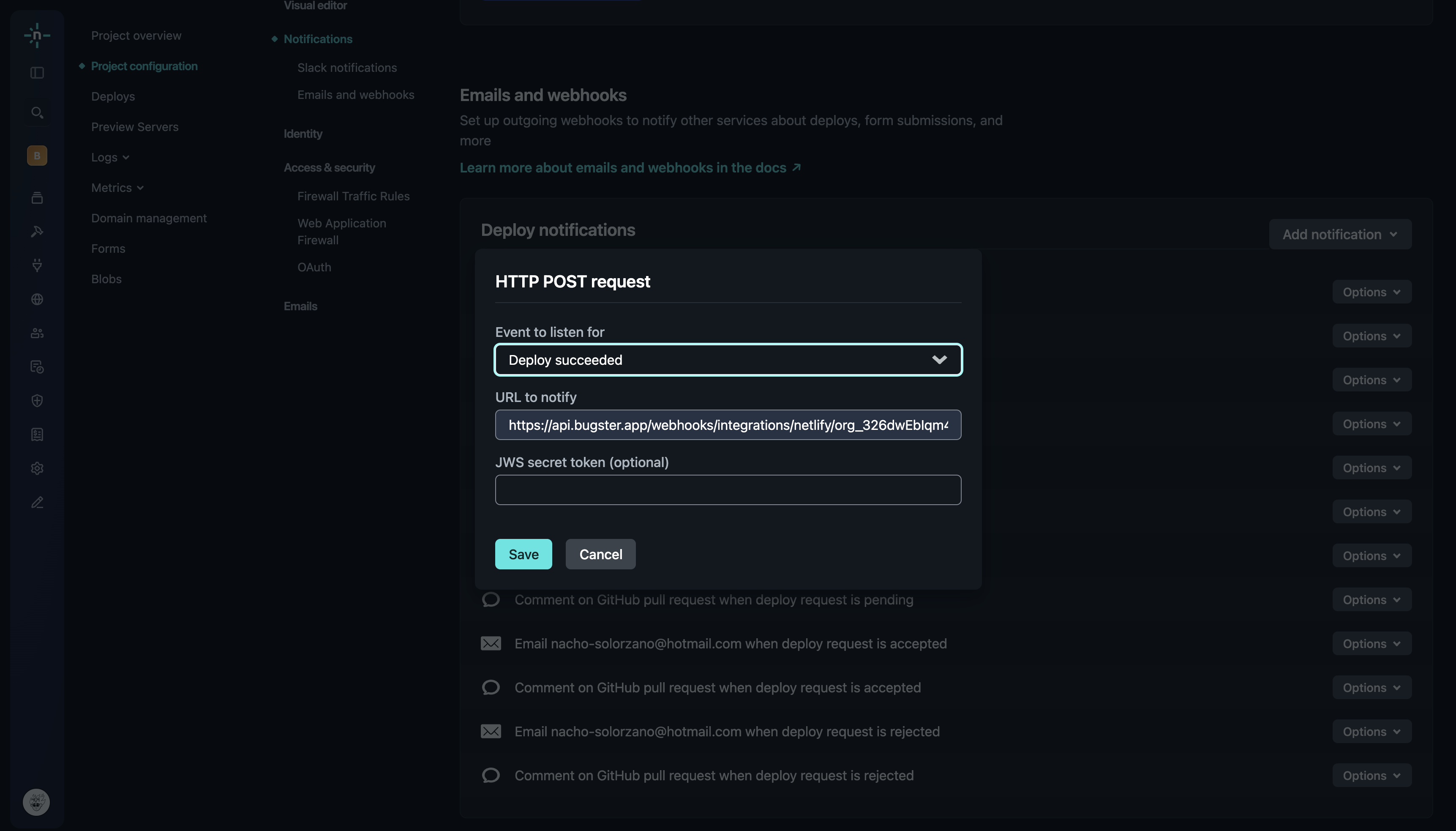
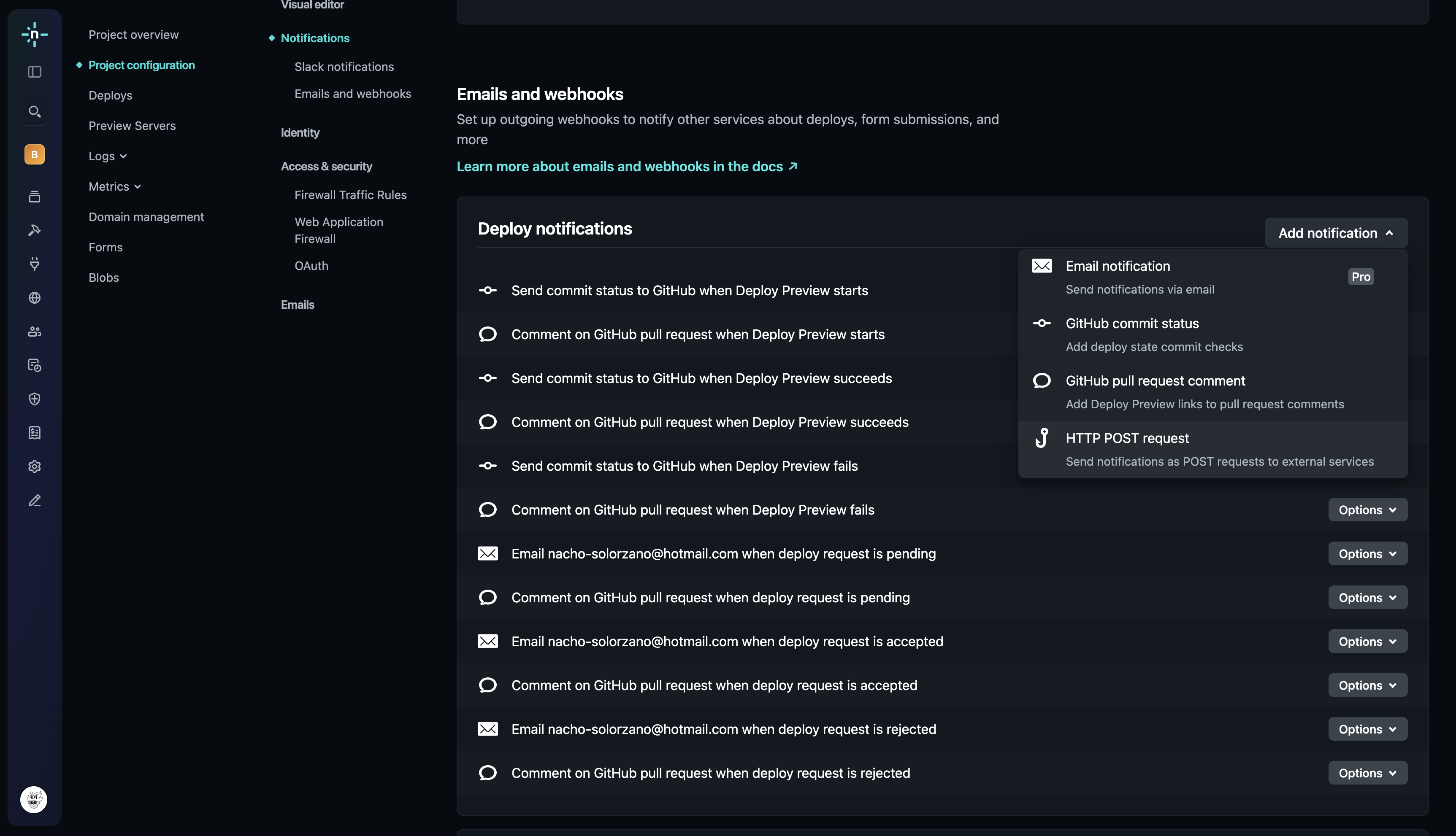 Add HTTP POST request notifications for "Deploy succeed", "Deploy started" and "Deploy failed".
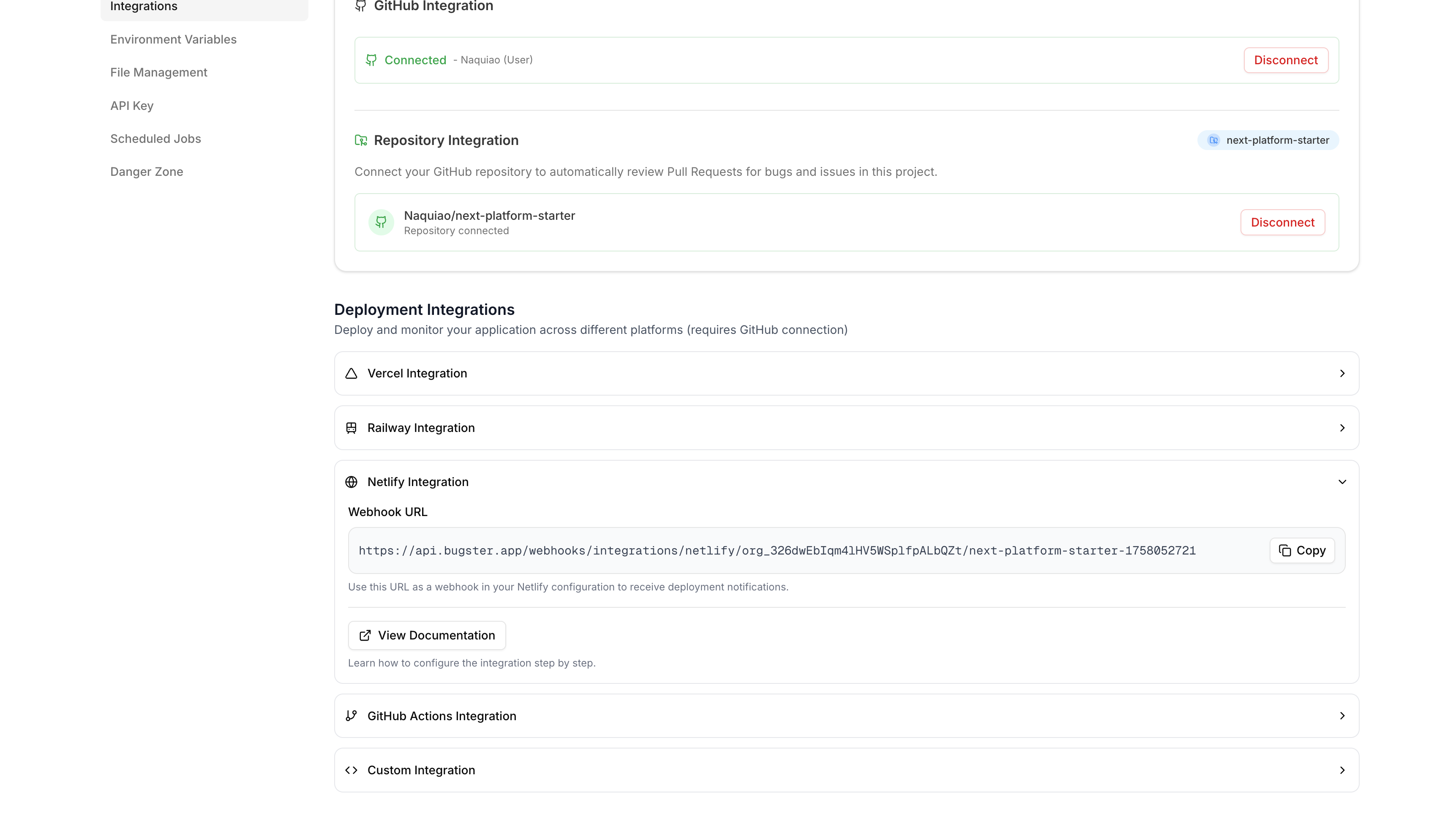
 Copy the webhook URL from your Bugster Project Settings > Integrations > Netlify Integration.
 Now you're ready! Open a new PR and watch Bugster run your test suite against the Netlify preview.