> ## Documentation Index
> Fetch the complete documentation index at: https://docs.bugster.dev/llms.txt
> Use this file to discover all available pages before exploring further.
# Slack
> Send notifications, alerts, and updates to Slack channels
Slack integration is optional but recommended for receiving Bugster tests runs
notifications. You must be a workspace admin or have permission to install
apps.
Bugster uses a Slack App to send messages to your workspace when tests runs are completed. You can choose between receive all test executions or just when errors occur.
## **Installing the Slack App**
Install the Bugster Slack App through your [**dashboard**](https://app.bugster.dev/).
In the Bugster webapp, go to **Integrations → Slack** and click **Connect
Slack**.
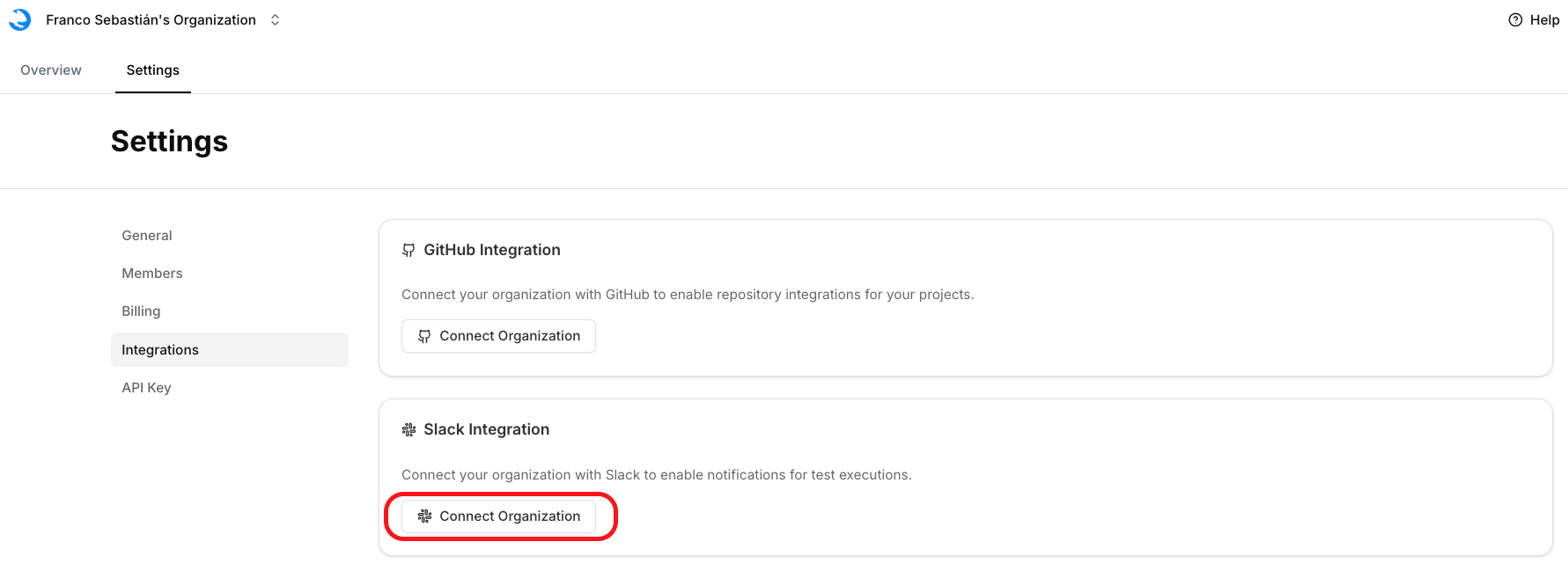 Select the Slack workspace where you want Bugster to post messages.
Click **Install Bugster** to complete the OAuth flow. You'll be redirected
back to Bugster dashboard with "Connected" status.
Currently, the Slack app can only be connected to one Slack channel per
organization. If you'd like to connect Slack notifications to specific
projects, please reach out to our team with your feedback.
Select the Slack workspace where you want Bugster to post messages.
Click **Install Bugster** to complete the OAuth flow. You'll be redirected
back to Bugster dashboard with "Connected" status.
Currently, the Slack app can only be connected to one Slack channel per
organization. If you'd like to connect Slack notifications to specific
projects, please reach out to our team with your feedback.